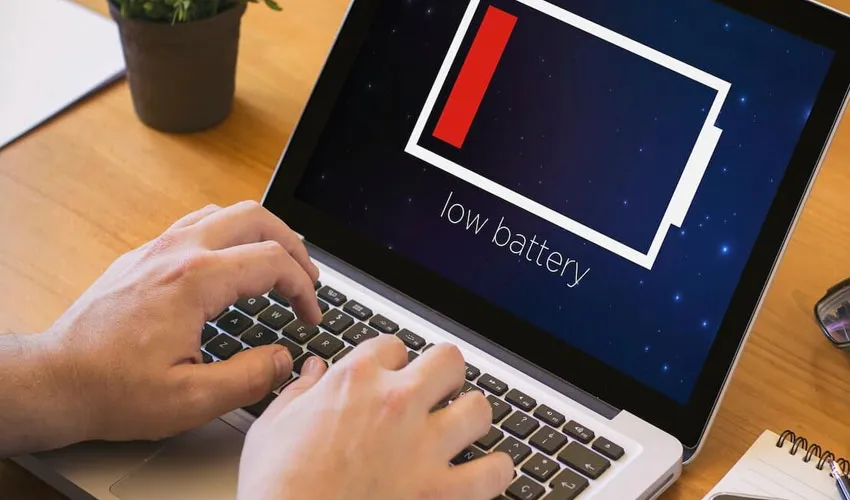
Millions of laptop users are unwittingly shortening the lifespan of their devices through a single, seemingly innocent charging habit.
According to battery experts, this common practice accelerates chemical degradation inside lithium-ion batteries—slashing overall longevity and performance long before the laptop itself becomes obsolete.
While modern laptops boast faster processors and sleeker designs, the fundamental chemistry powering them remains fragile. And despite widespread misconceptions, the way most people charge their devices is doing far more harm than good.
The 0% Myth: Why Draining Completely Is Catastrophic
The most destructive mistake, experts warn, is allowing a laptop battery to routinely drain to 0% before being plugged back in.
This practice—often rooted in outdated advice from the nickel-cadmium battery era—triggers severe chemical stress inside lithium-ion cells. Each time a battery hits absolute zero, its internal voltage drops to dangerously low levels, destabilizing the electrolyte and accelerating the formation of solid-electrolyte interphase (SEI) buildup. Over time, this process permanently robs the battery of its capacity to hold a charge.
In short: fully draining a lithium-ion battery doesn’t “reset” it. It wounds it.
Why Battery Health Declines: The Science of Degradation
Battery degradation is inevitable—all lithium-ion cells lose capacity with use. However, full discharge cycles dramatically accelerate the clock.
Every recharge cycle contributes microscopic wear, but deep discharges (from 100% down to 0%) generate maximum internal stress. This manifests as:
-
Increased internal resistance
-
Reduced voltage stability
-
Permanent loss of active lithium ions
-
Swelling or premature failure in extreme cases
Conversely, keeping a battery pinned at 100% for days or weeks on end introduces its own hazard: voltage stress. A battery sitting at full charge is chemically “anxious,” oxidizing electrolytes and accelerating cathode degradation.
The Gold Standard: The 20%–80% Rule
Battery longevity specialists overwhelmingly endorse a simple yet powerful guideline: maintain charge levels between 20% and 80% whenever practical.
This range offers the optimal balance between usability and chemical preservation. Within this zone, lithium-ion cells operate at lower voltage and reduced internal temperatures—two primary drivers of degradation.
Studies suggest that adhering to the 20–80 rule can extend a battery’s useful lifespan by two to three times compared to habitual full cycling.
To Plug In or Unplug? The Bypass Charging Breakthrough
A frequent point of confusion is whether keeping a laptop perpetually connected to AC power is safe. The answer depends entirely on the device’s hardware.
Many modern laptops—particularly ultrabooks, business-class devices, and premium gaming laptops—now feature bypass charging (also known as ‘power passthrough’).
Once the battery reaches 100%, the system automatically routes incoming power directly to the motherboard, bypassing the battery entirely.
The battery sits idle, neither charging nor discharging, experiencing minimal stress.
However, not all devices support this feature. In older or budget laptops without bypass charging, keeping the laptop plugged in 24/7 keeps the battery at continuous 100% voltage stress, accelerating degradation despite the convenience.
Practical advice: If your laptop supports bypass charging, you can safely leave it plugged in—especially when using manufacturer-branded battery limit tools (e.g., capping charge at 60% or 80%). If not, unplugging at 80% and reconnecting at 20% is the superior strategy.
Built-In Lifesavers: OS-Level Battery Protections
Modern operating systems have integrated sophisticated tools to help users mitigate these issues without constant manual intervention:
| Operating System | Feature | Function |
|---|---|---|
| Windows 11 | Energy Saver Mode & Smart Charging | Reduces background activity and, on supported devices, pauses charging at 80% |
| macOS | Optimized Battery Charging & Low Power Mode | Learns user routines and delays charging past 80% until just before unplugging |
| ChromeOS | Adaptive Charging | Slows charging overnight and caps at 80% based on usage patterns |
These features work silently in the background, reducing energy draw, lowering thermal stress, and preventing unnecessary full-charge holding.
Final Verdict: Small Changes, Dramatic Gains
Battery replacement remains one of the most expensive and inconvenient repairs for any laptop. Yet the habits that destroy batteries are easily correctable.
-
Stop draining to 0%. Plug in at 20–30%, not when the emergency shutdown triggers.
-
Stop always charging to 100%. Unplug at 80% unless you need maximum runtime.
-
Use built-in battery limiters if your laptop manufacturer provides them (Lenovo Vantage, Dell Power Manager, ASUS Battery Health Charging).
-
Keep your laptop cool. Heat is the silent partner in chemical degradation—avoid using laptops on soft surfaces that block ventilation.
The lithium-ion battery inside your laptop is not immortal, but with informed habits, its useful life can stretch from barely two years to four or five. The choice—and the charger—is in your hands.
