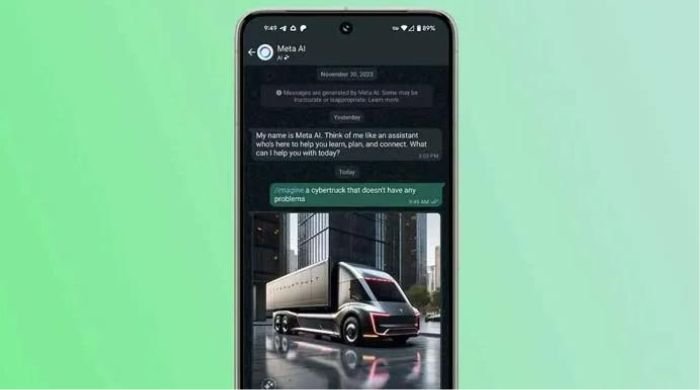
How to use WhatsApp’s Meta AI chatbot? Meta, formerly Facebook, has introduced its highly anticipated artificial intelligence (AI) chatbot, Meta AI, on WhatsApp.
This feature allows users to interact with AI directly within the messaging app, bringing a new level of convenience and engagement to everyday conversations.
How to use WhatsApp’s Meta AI chatbot?
To activate Meta AI on WhatsApp, users should follow these straightforward steps:
- Locate the Meta AI Logo: Begin by locating the Meta AI logo, situated at the bottom right corner of the WhatsApp interface.
- Accept Terms and Conditions: Tap on the Meta AI logo and review Meta’s terms and conditions. Once satisfied, click “Accept” to proceed.
- Initiate Chat: After accepting the terms, users can start chatting with Meta AI by clicking the logo again or accessing the chat list.
Chatting with Meta AI
Engaging with Meta AI is intuitive and user-friendly:
- Starting a Conversation: Simply click on the Meta AI logo above the new chat button to initiate a chat with the AI.
- Asking Questions: Users can ask Meta AI various questions on a wide range of topics, from restaurant recommendations to more complex queries.
- Image Generation: To generate images using Meta AI, use the command
/imagine [image prompt]within the chat. There may be a daily limit on image generations, typically around 25.
Also read: Now you will be able to make WhatsApp group calls on Desktop
Meta AI’s image generation feature is described as fast and enjoyable, albeit occasionally imperfect like other AI models.
Key Features and Considerations
Here are some notable features and considerations of Meta AI on WhatsApp:
- Free Addition: Meta AI is a complimentary addition to WhatsApp and does not require any payment for use.
- Data Sharing: Unlike some AI models, Meta AI may not offer users the option to disable data sharing.
Users can now seamlessly interact with AI directly within their favorite messaging platform, enabling enhanced productivity and entertainment through innovative features like image generation and responsive conversation.
